At Atlan I designed parts of Policy Manager, where data teams set the rules their data has to follow and deal with whatever breaks them. This case study is less about shipping metrics and more about how I take a messy domain apart and shape something people can actually use.
- Role
- Product designer on the governance team. Problem framing, interaction design, Figma and coded prototypes
- Timeline
- Mar to Jun 2025, three connected pieces of work
- Scope
- Incidents and tasks, an AI summary of policy rules, and a unified policy creation flow
Learnings
I was at Atlan for eight months. Three things have stayed with me since, one from each piece of work below.
- Governance is a people problem dressed up as rules. Writing the rule was never the hard part. The hard part was the person on another team with twelve broken tables and no interest in policies. Designing for them mattered more than anything on the policy owner's side.
- With AI, timing is a design decision. A plain-language summary of a policy was the easy part. Deciding when it should run, when it should stay quiet, and what each run costs turned it from a demo into something you could leave on.
- Organise by what people want, not by how the system is built. My first policy creation flow made sense to me because I'd spent weeks learning how Atlan models policies internally. That was exactly the problem. The second version got better the moment it stopped asking people to know what I knew.
The product
Atlan is a data catalog. Large companies like Mastercard, Unilever and General Motors use it to keep track of every table, dashboard and pipeline they own: what it is, who owns it, where its data comes from.
Governance is the part that makes rules about all of that. A typical rule: every table containing personal data must have an owner and a PII tag. In Atlan, a rule like that lives in a policy. The policy has a scope (which assets it watches) and rules (what has to be true). When assets break the rules, Atlan raises an incident.
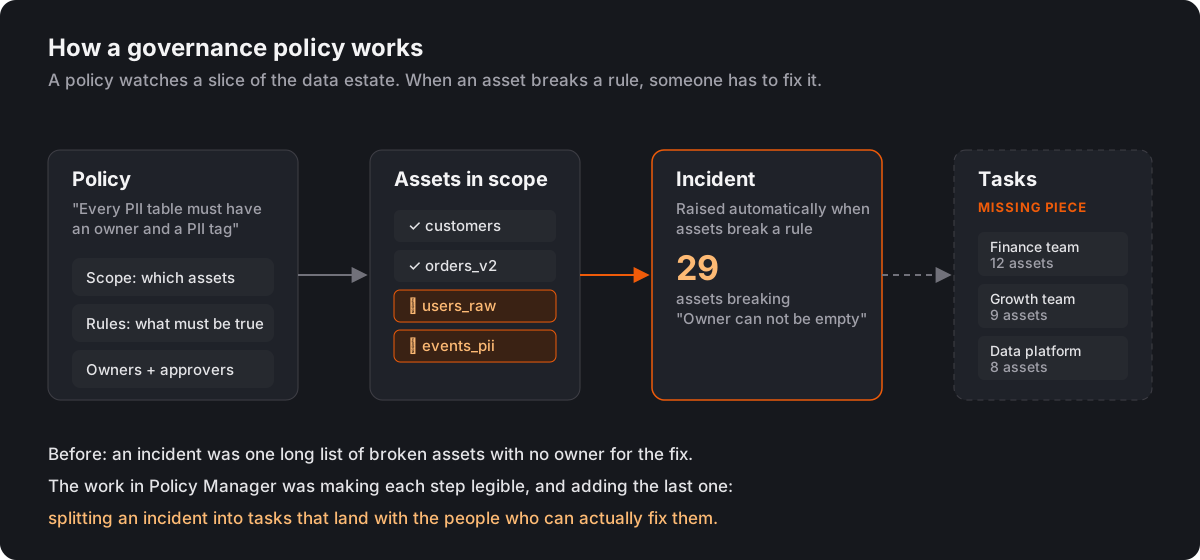
When I picked up governance work in early 2025, the first three boxes existed. The fourth didn't. That was the first problem I picked up.
1. An incident nobody could finish
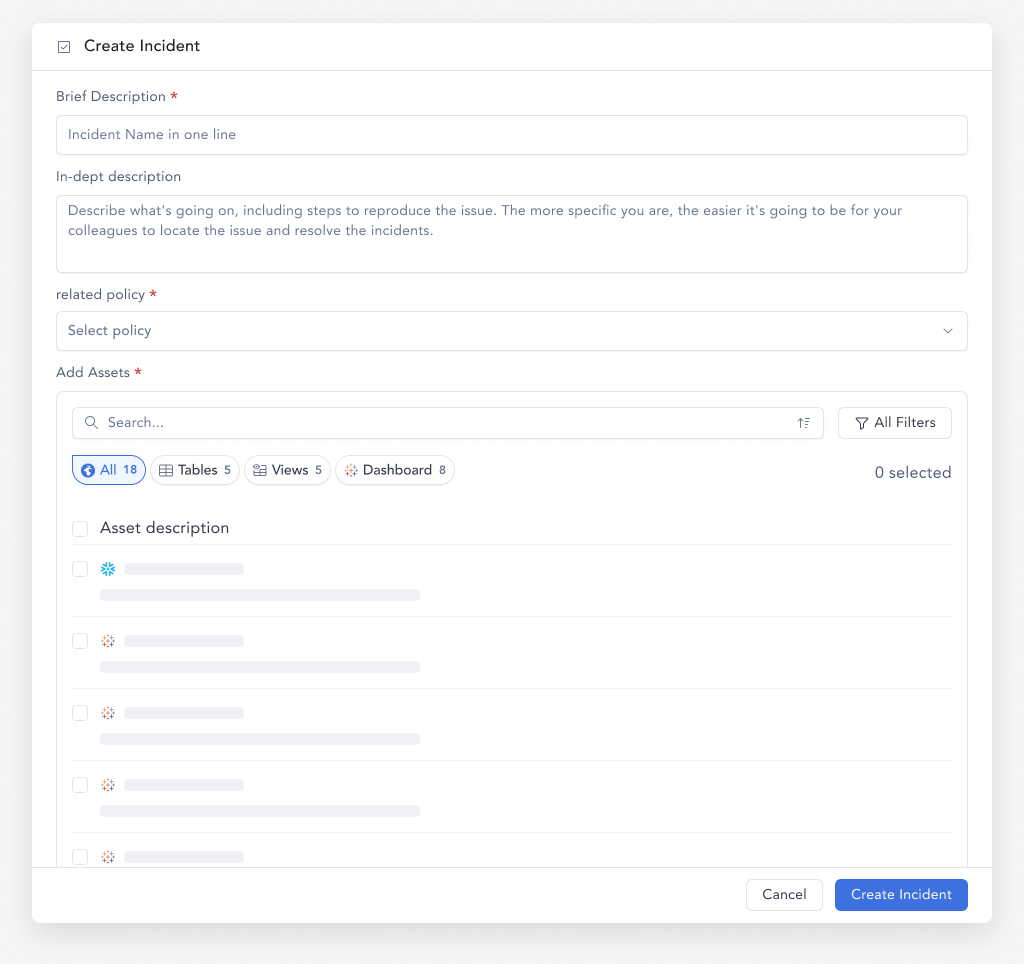
A policy breach might flag 29 assets owned by several different teams. In the product, that was one incident with one long list of broken assets. The policy owner could see the problem but had no way to break it up, hand pieces to the people who could fix them, or see progress. Picking assets for an incident meant scrolling and ticking boxes one at a time.
I started on the model before drawing any screens.
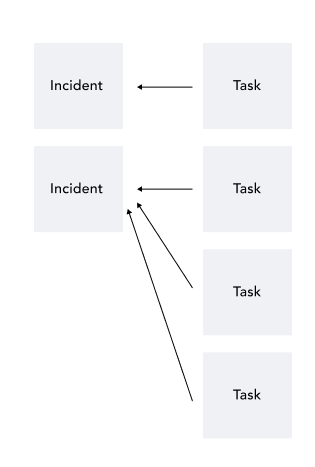
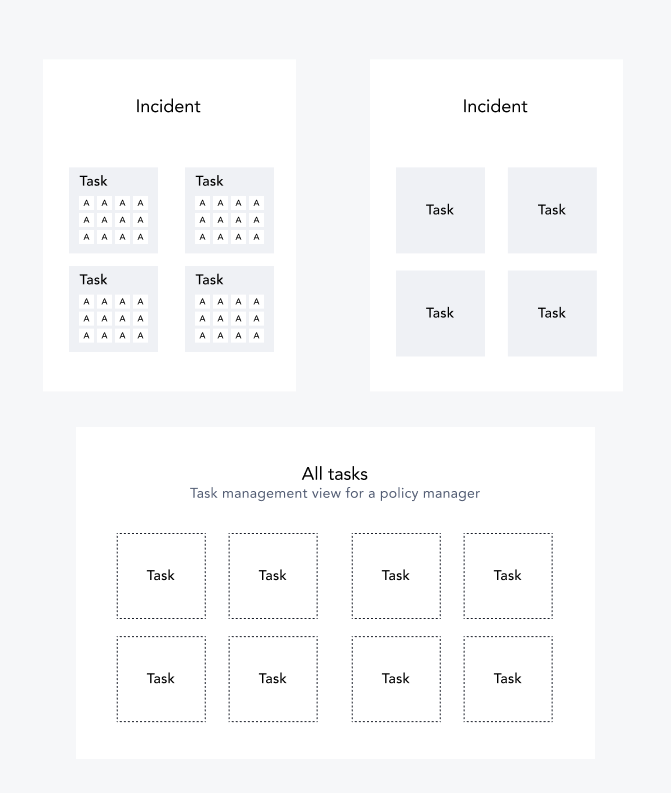
That model gave me two people to design for, who care about very different things.
- The policy owner wants the whole picture. Which incidents are open, how far along each one is, who's holding things up. They got an Incidents tab in Policy Center, with progress bars on every incident, and an incident page where they split the work into tasks for a person or a group.
- The assignee doesn't care about policies. They have twelve tables to fix and want to get it done. Their tasks land in Atlan's Inbox, with the broken assets listed and each asset openable in place, so they can fix the metadata without leaving the task.
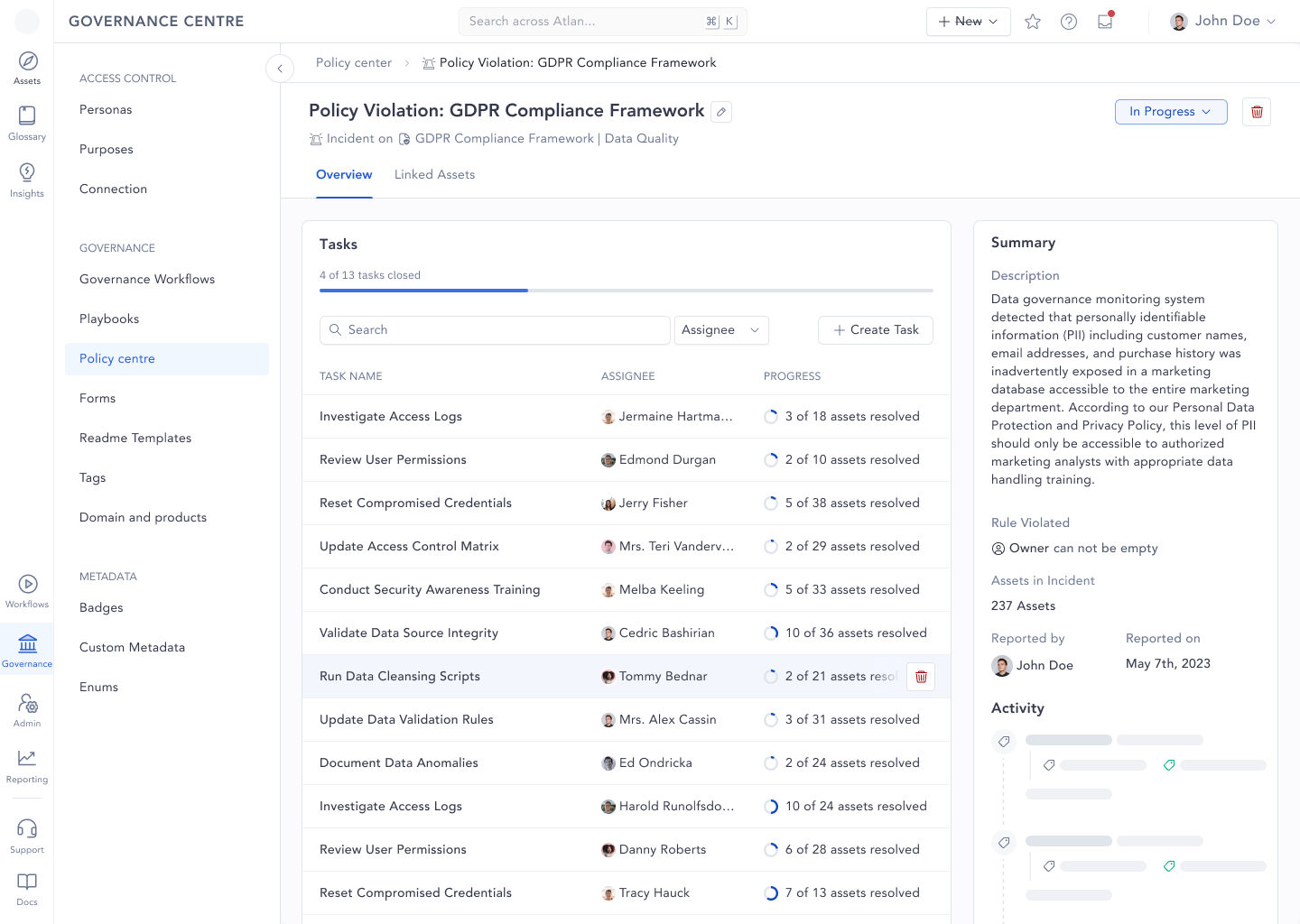
A smaller decision saved the most time. Instead of picking assets one by one, you filter ("has tag Finance", "owner is empty") and select everything that matches. The same filter pattern Atlan already used in search, reused where people needed it most.
Testing it as real software
Figma prototypes can't search, filter or save, and those were exactly the things I needed people to try. So I connected Figma to Cursor through a Figma MCP server and turned the Incidents prototype into a small working app on Vercel.
This was April 2025. The term "vibe coding" was two months old, and a designer testing ideas in real code instead of a Figma prototype was still a new idea. The first version took three to four hours, plus a day of polish, and I added Mixpanel so I could see what people did with it instead of only asking.
2. When should the AI speak?
A policy's scope and rules are built from rows of filters: attribute, operator, value. They're precise and almost impossible to read back. "Connection is tableau-server AND name contains Quarterly AND certificate is not Verified" takes a minute to parse even if you wrote it.
The obvious fix was a plain-language summary written by an LLM, next to the filters. The interesting part was deciding when it should run.
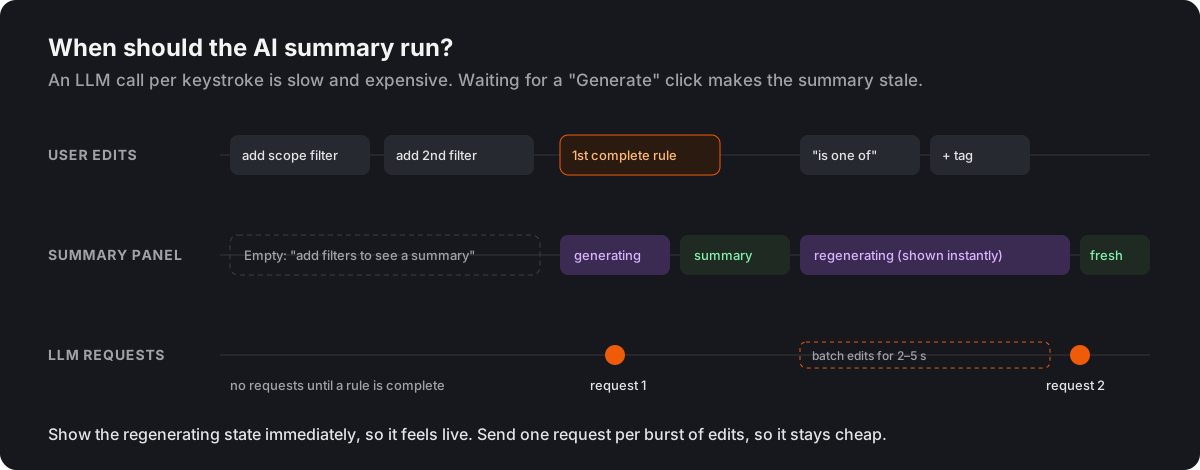
I set two rules. First, don't generate anything until there's a complete rule. A half-written filter gives a summary of nothing, so the panel stays in an empty state until the first rule makes sense. Second, when someone edits, show the "regenerating" state immediately but wait a couple of seconds before calling the model, so a burst of edits turns into one request. It feels live and stays cheap.
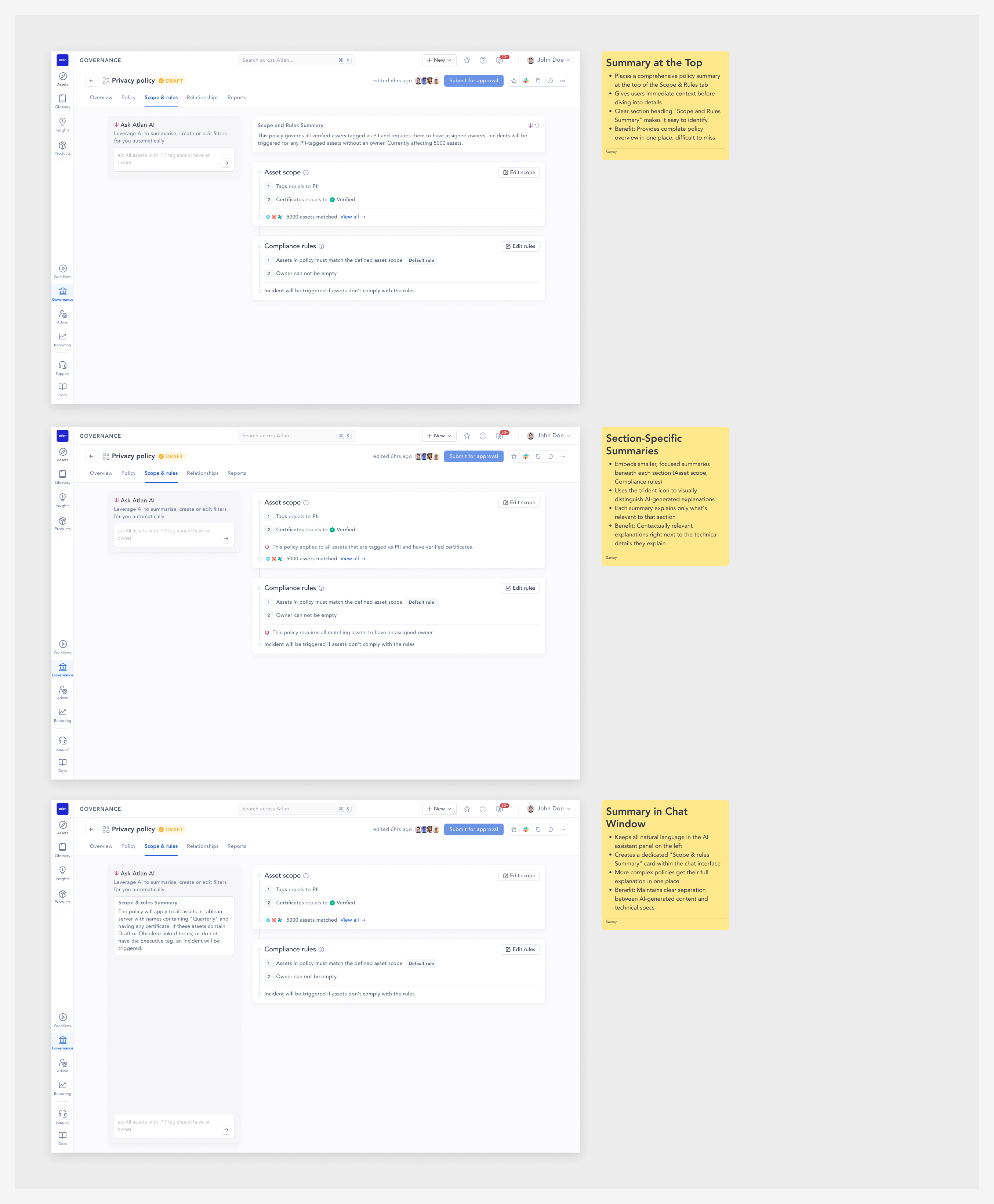
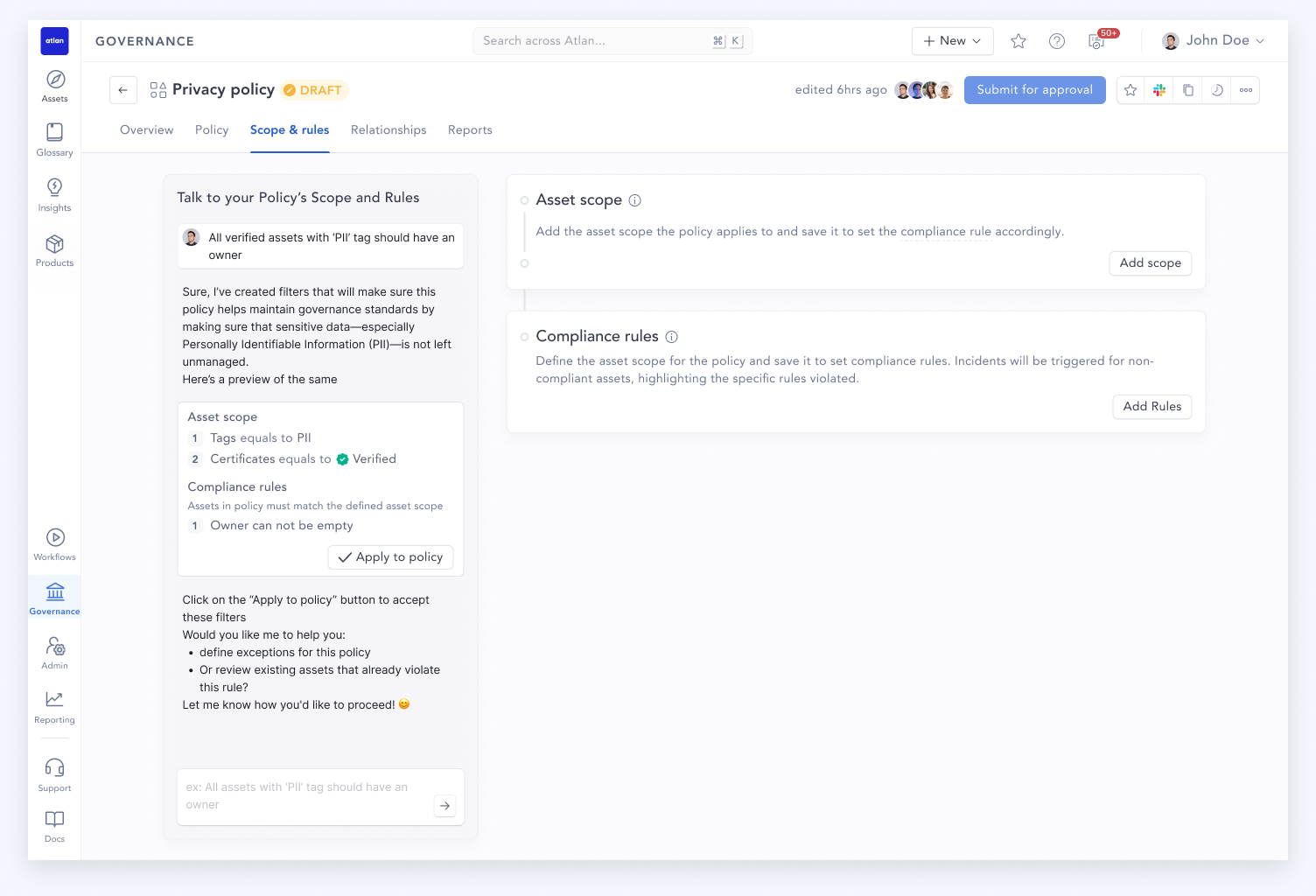
I also explored where the summary should live: at the top of the page, next to each section, or inside a chat panel where you could ask for changes in plain English. Writing filters from a sentence ("only PII tables in production") came out of that exploration and stuck.
3. One place to create any policy
The biggest piece came in May. Atlan had grown several kinds of policy, each created somewhere different. Access policies (who can see or edit what) lived inside Personas and Purposes, each with its own sidebar. Governance policies lived in Policy Center. The goal was one place to create any policy.
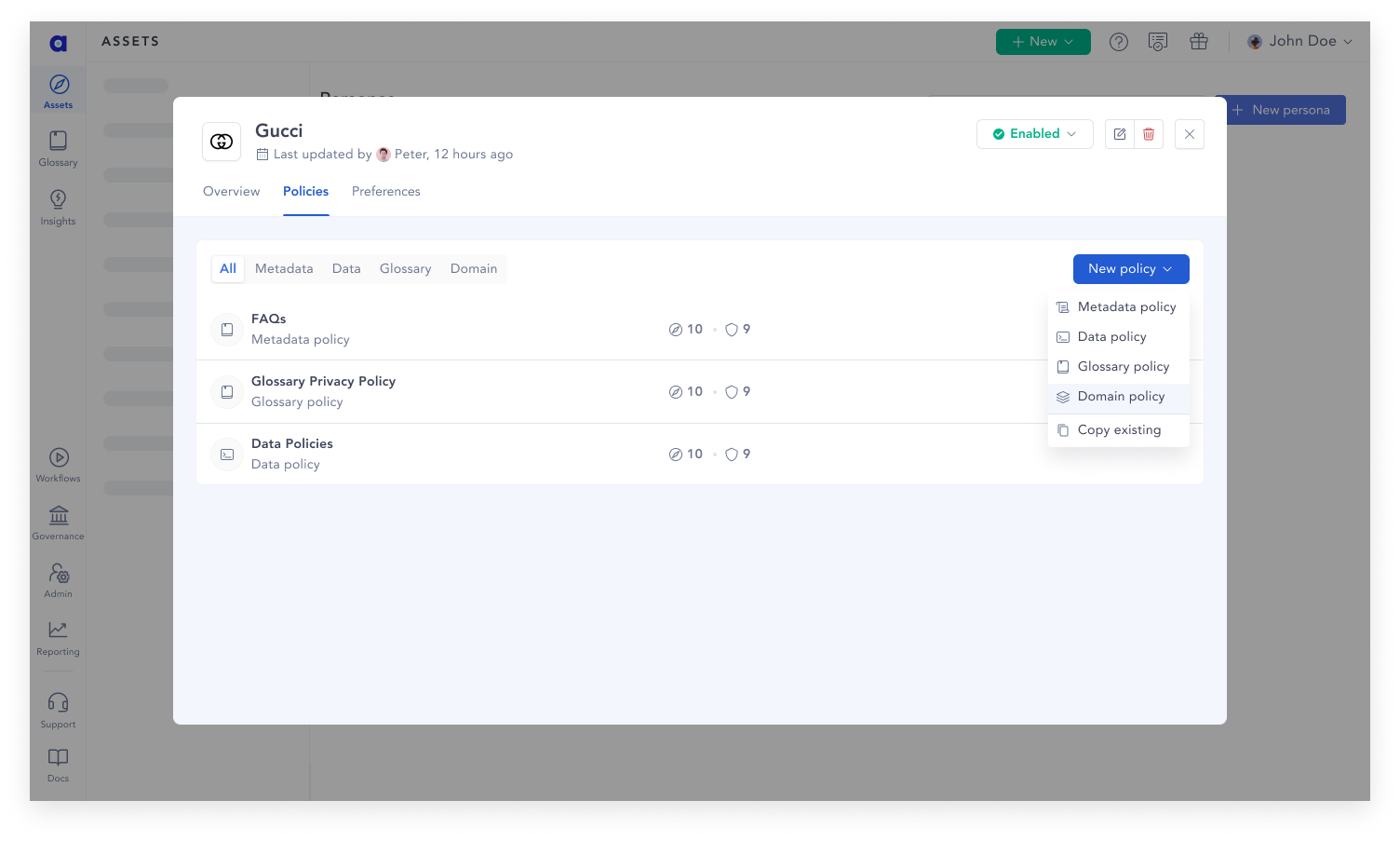
My first version, on 22 May, kept Atlan's structure and moved it into a modal. You picked Persona, Purpose or Governance, then filled in fields that changed depending on your choice, then configured permissions on a second step.
By 12 June that had grown into a full-page, five-step wizard: type, details, scope, permissions, approval and a review page with an AI summary. I presented it in a review, and it got pushback on three things.
- Create first, then configure. Atlan's other governance policies already worked that way, so the wizard was inconsistent. It also front-loaded every decision before the policy existed, so you couldn't save half of it and come back.
- One flat list of policy types. The two-level picker (choose Compliance, then choose which kind) asked people to learn our taxonomy before they could start.
- AI help throughout. On a review page at the end, the AI could only summarise what you had already done. It needed to help while you were writing the scope and permissions.
Each point was right. By the next day I had a new version with all three changes built in.
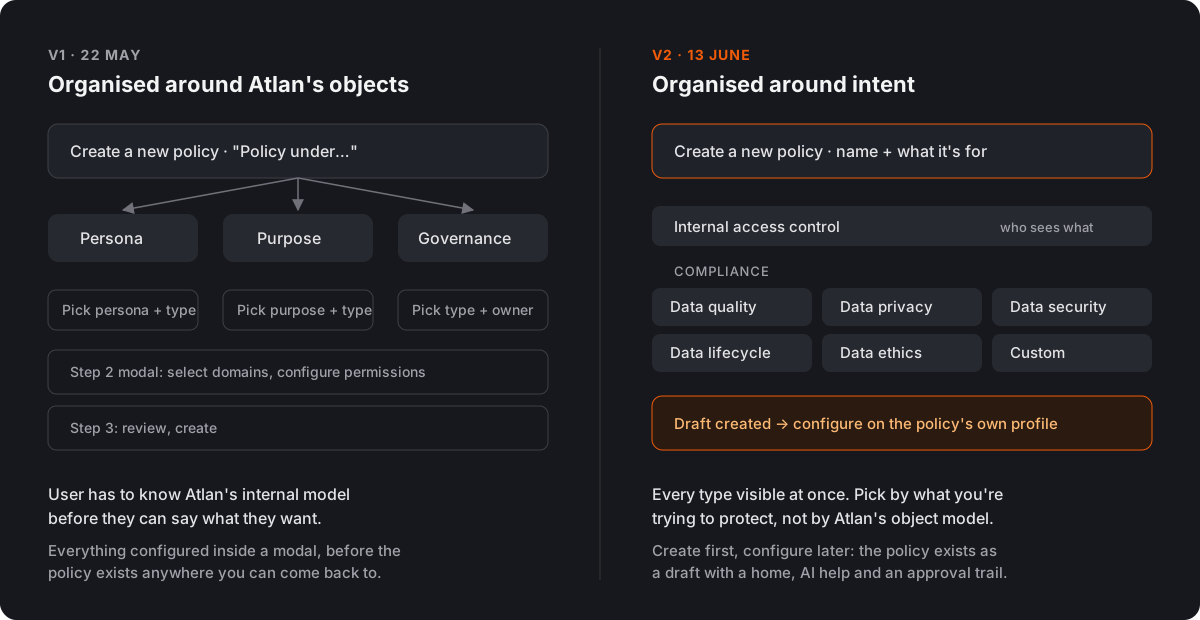
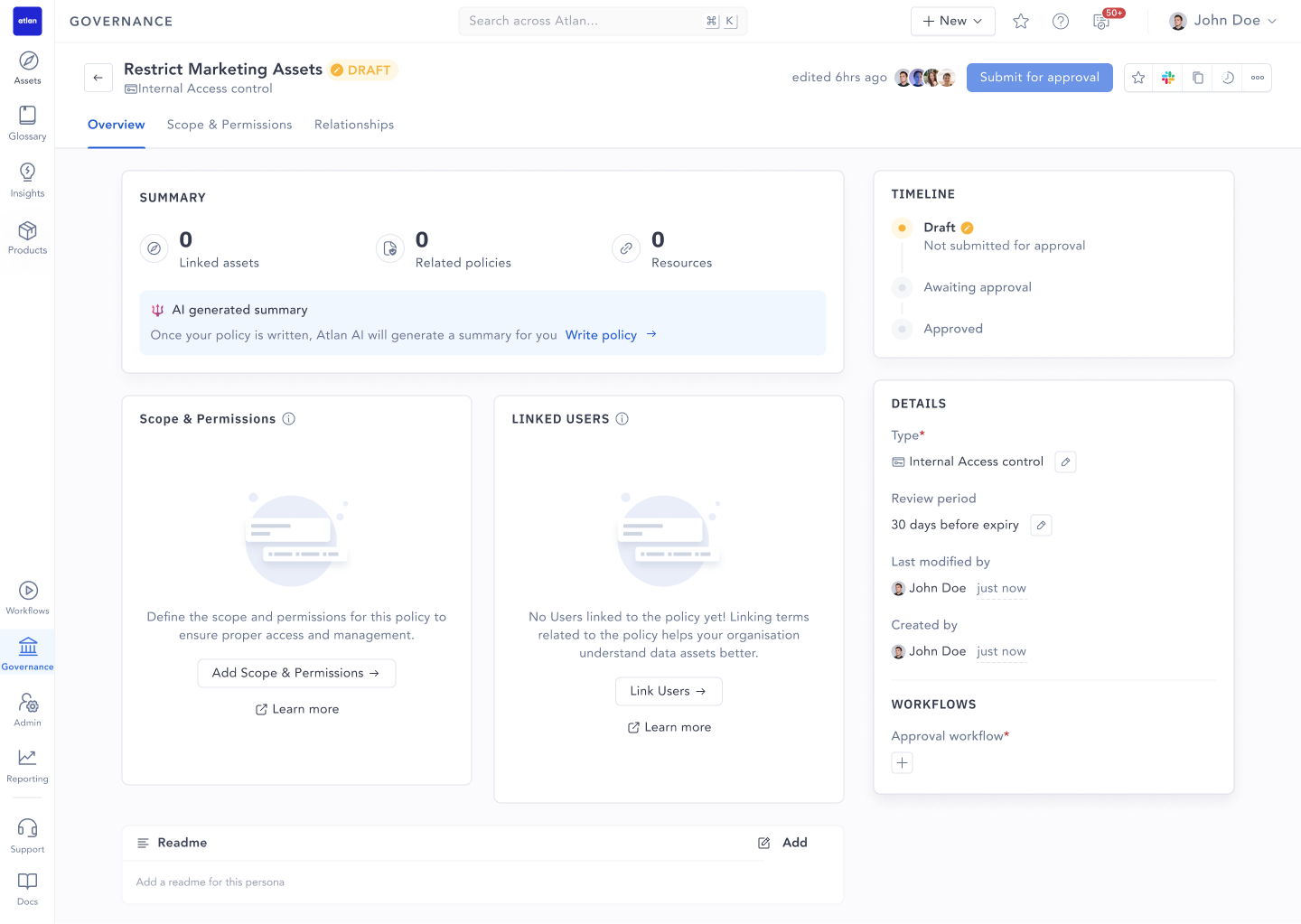
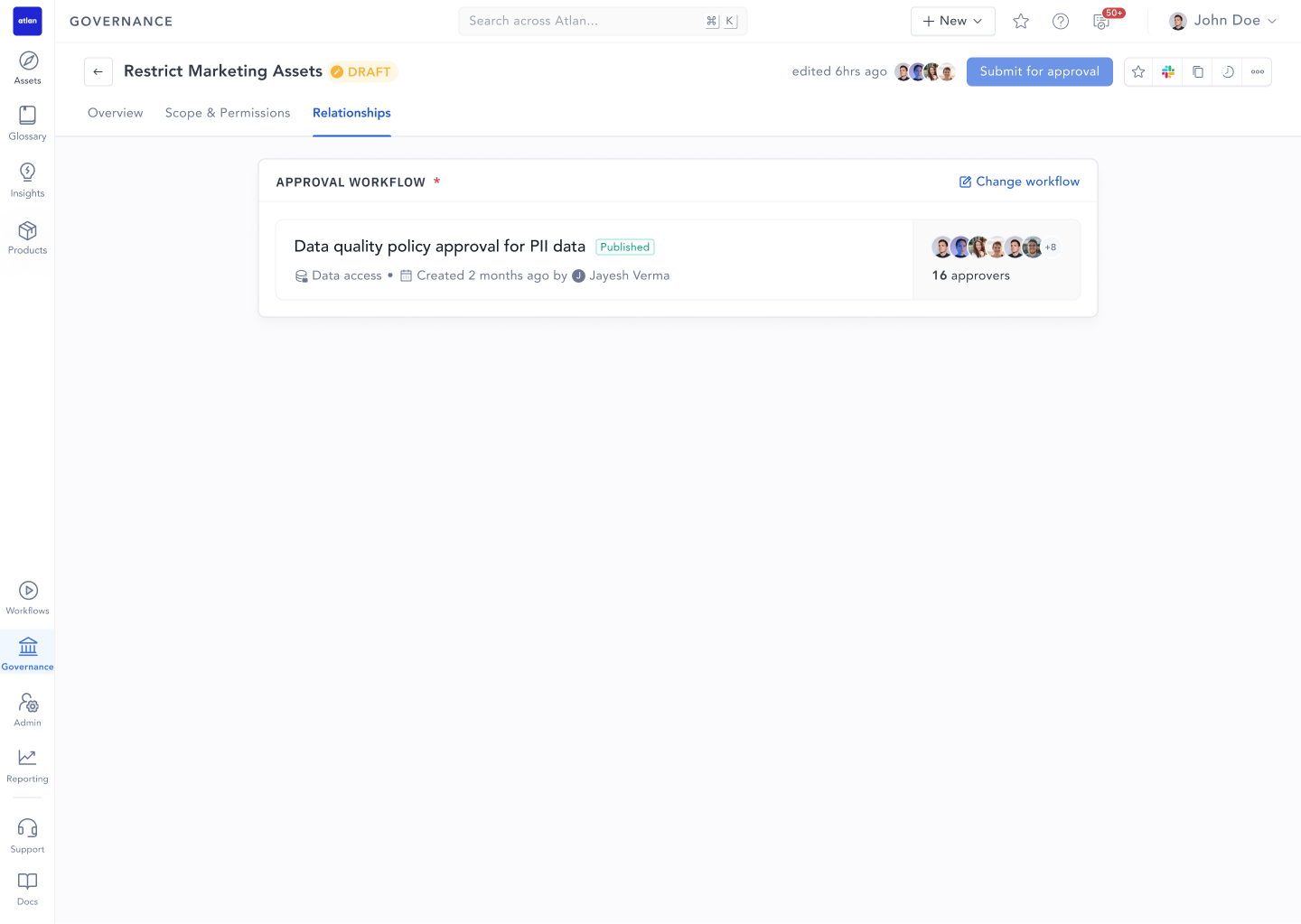
Creating the policy first means it exists as a draft straight away. It has a page you can come back to, a timeline from draft to approval, and somewhere for AI help to live. On the scope and permissions tab, you can describe the scope in plain English, tick permissions grouped by the asset types you picked, and read the summary from April sitting on top.
Looking back
The review in June is the moment I'd point to if someone asked how I work. The wizard was thorough and well reasoned, and it was the wrong shape. Letting go of it in a day, and coming back with something better, is the part of this project I'm proudest of.